4 updates in Shopify admin for agents checking your UCP data
agents checking your UCP data
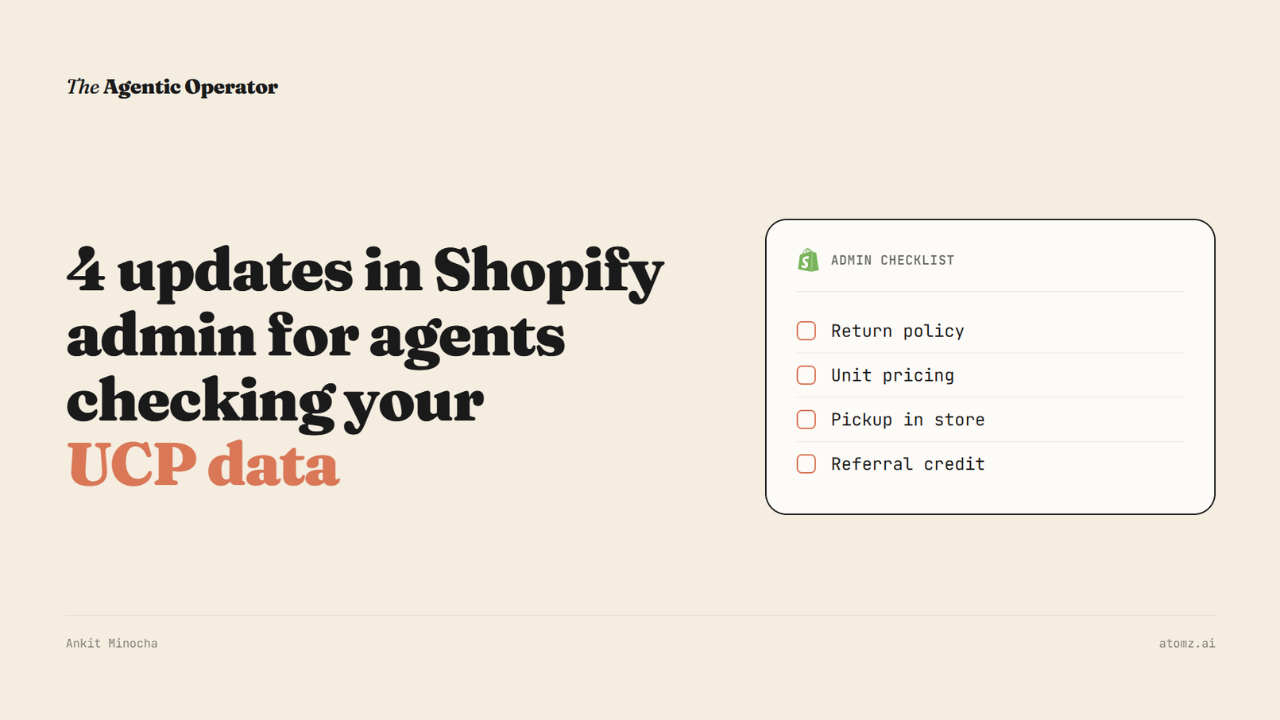
For a Shopify brand, the "is my store AI-ready" checklist shouldn’t be just product data - titles, attributes, images, the fields an agent reads are still most important. But now it reads a return policy as literally as it reads the product spec.
So UCP is the open standard Shopify built with Google. It lets an AI agent ask a store what it supports and the store answers with real data.
UCP itself, the protocol Shopify co-built with Google, shipped an update on August 25. Shopify's storefronts started advertising compatibility with it two weeks back. Here are 4 parts of that update worth checking in your admin today.
1/ Your return policy
A return policy used to be a link a shopper found after they'd already bought something, if they ever looked at all. An agent reads it before building a cart.
"Easy returns, no questions asked" gives an agent nothing to check against.
But what it needs to see are things like a return window in days, whether there’s a fee, and which items cannot be returned, refunded, or exchanged after purchase.
What to do:
Go to Settings > Policies > Return and cancellation rules
Set the return window in days, and what it counts from
Set who pays for return shipping, and the restocking fee
Add final sale items as a collection or a plain product list
2/ If you sell by weight, length or time
Right now, you fake this with variants: a "1 lb bag," a "2 lb bag," a "5 lb bag," and the shopper picks whichever size happens to exist. The updated spec lets a store quote a price like $0.80 a pound and take an order for 1.5 lb.
What to do:
Go to Product > Pricing > Unit price
Set the Total amount and Base measure, so $0.80 a pound is stored as a structured field instead of text in a title
Leave the Weight field under Shipping alone. It only calculates shipping rates.
3/ For stores with physical locations
Agents search locations by distance, stock, and hours. Pickup becomes something you declare in a field, instead of a line buried in your shipping page.
What to do:
Go to Settings > Shipping and delivery > Pickup in store
Turn it on for each location
Set the expected pickup date and write the pickup instructions
Check that the stock count at each location is accurate
If "In stock" labels drift out of sync with the inventory, a shopper might ignore that gap. An agent treating the label as ground truth for a purchase decision won't.
4/ Who sent the sale
Right now, most of that traffic shows up as 'direct' - no idea if ChatGPT, Perplexity or Gemini actually sent the buyer. Referral information travels with the request now, so whichever platform sent you a buyer will get credited for it.
What to do:
Start recording which surface sent each order
Decide what a referred sale is worth to you before anyone asks
There's no field for this in Shopify admin yet.
The closest substitute today is tracking AI sessions in Shopify Analytics. I set this up in an earlier issue, worth a look if you haven't already.
The sequence this happens in matters too. A shopper's sentence gets broken into requirements first and those run against your data as a straight pass or fail. Ranking, where your reviews and price matter, only happens after that.
"Near me, today, returnable" checks three requirements at once. Leave one of those fields empty and you get dropped at the filter stage. Ranking never even sees you.
These settings are usable today. What's not live yet is whether an agent reads them yet - Shopify's docs still point at the earlier spec, so nothing breaks this week.
BFCM is in 3 months and a lot of shoppers will be using agentic channels. The four things I shared above are admin decisions for you to make.
Our AI audit checks the product side of this - whether an agent can read your catalog data. Run the audit, check your score →
- Ankit
If this was useful, the next one will be too.
Weekly. Free.
Unsubscribe with one click.
