Google builds its AI shopping ads from your product feed
and Merchant Center now shows which fields it reads
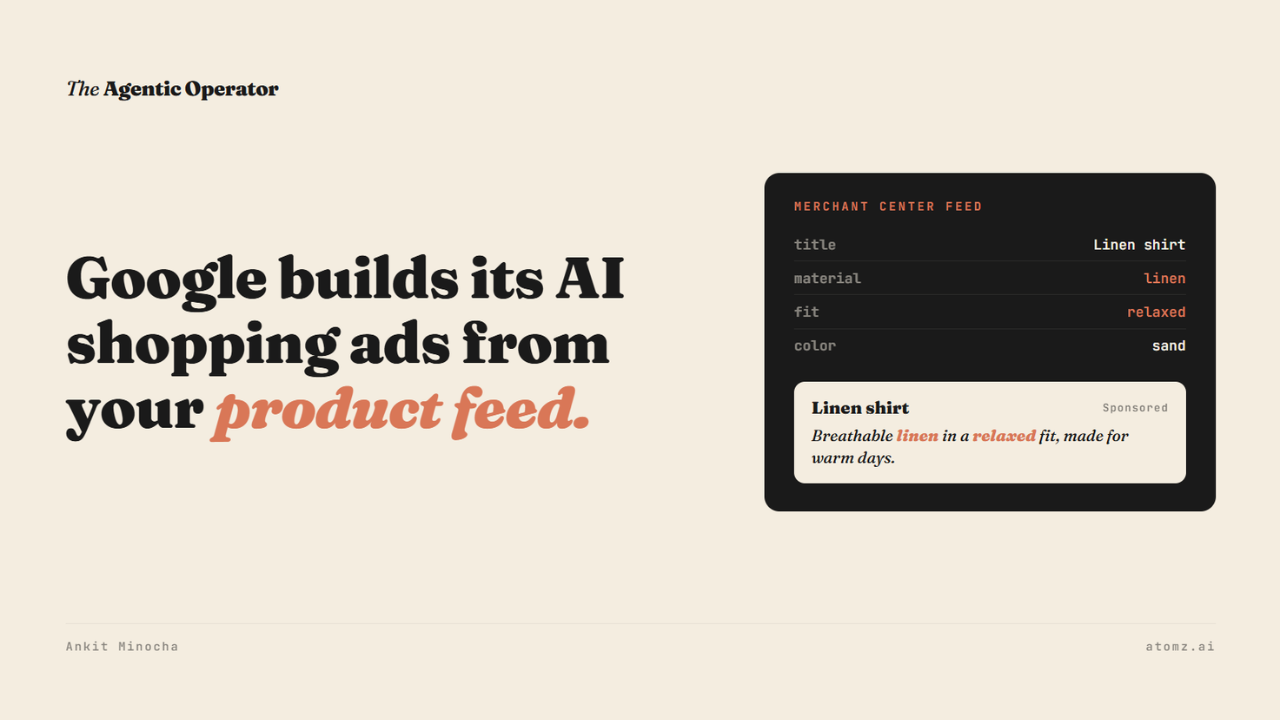
Since April, Google has been rolling out new ad formats for AI Mode and Search.
For shopping ads, Gemini writes the part of the ad that answers the shopper. It builds that part for each search, using your product data.
So which attributes does Google look for in your category?
Google Merchant Center now shows which attributes AI Mode and AI Overviews use in your categories, and how many of your products carry them.
You basically no longer have to guess which attributes matter in your category.

Google writes these ads from your feed
On April 30, Google launched AI Max for Shopping. It reads your Merchant Center feed, including details like fabric softness, material durability and fit - and writes Shopping ad copy for conversational searches.
In May, Google started testing new Gemini-built formats. In AI Mode, Conversational Discovery ads answer the shopper's exact question, and Highlighted Answers place an ad inside AI Mode's own list of recommendations. AI-powered Shopping ads are coming to Search next, with Gemini writing a custom explainer on why your product fits.

Source: Google
There's no AI Mode campaign to switch on. Google points advertisers to AI Max and Performance Max as the way in.
What a shopper reads in these ads depends on the fields you fill in.
I walked through what each of these ad formats looks like in Google’s AI Mode and where they sit in the answer.
How to read the AI performance report
Open Merchant Center > Analytics > Products > AI performance.
1/ Top search intents show what shoppers are looking for.
Intent frequency is how often they ask.
Share of voice is how much of that answer is yours.
2/ Add top terms used in AI searches shows the words they use.
3/ Add popular attributes used in AI searches lists the fields.
Each card has a "Products showing" count, which is basically how many of your products appear for that intent, term or attribute. A popular attribute with a low count is the first thing to fix.
The report covers one product category at a time, and it counts organic AI traffic only, like free listings. Your paid ads aren't in it, but the attributes it lists live in the same feed Gemini draws on for your ads.
It's available to Merchant Center accounts in the US, Canada, Australia, India and New Zealand, for English-language queries.
Why the same fields matter for ChatGPT
This is exactly what influences ranking in the Shopify Catalog API, which in turn influences ChatGPT ranking for a brand. Thanks to insights from Shopify’s team and especially Ravi Theja Yada, Kate Ragotte and Kyle Risley at Shopify DotDev this year.
So the attribute list Google hands you works as a to-do list for your Shopify catalog too.
The fix in Shopify
It's a fairly simple fix in Shopify. Open a product > select a category > add category metafields and save.
Picking the category is what unlocks those fields. For a shirt, Shopify offers size, fabric, color, neckline, sleeve length and age group, among others. Shopify also says a category makes it easier to sell on channels like Google.
Then open the same product in Merchant Center and check the value that made it into your feed. A field filled in Shopify helps in AI Mode once it's in the feed.
Google added six optional conversational attributes to Merchant Center for AI surfaces. The one to start with is question_and_answer, where you add questions shoppers ask about a product along with the answers. Google recommends adding these through a supplemental data source, and they don't affect your products' approval status.
Doing this product by product gets slow on a larger catalog. Atomz AI reads your entire catalog and fills in exactly what's missing or wrong, so the feed qualifies for every type of listing - organic and paid both. Connect with the Atomz team →
The audit shows which of these fields are missing across your catalog.
- Ankit
If this was useful, the next one will be too.
Weekly. Free.
Unsubscribe with one click.
