Google added a second way to declare your product's category
Not a ChatGPT or Copilot change, but it touches the exact field that decides search placement.
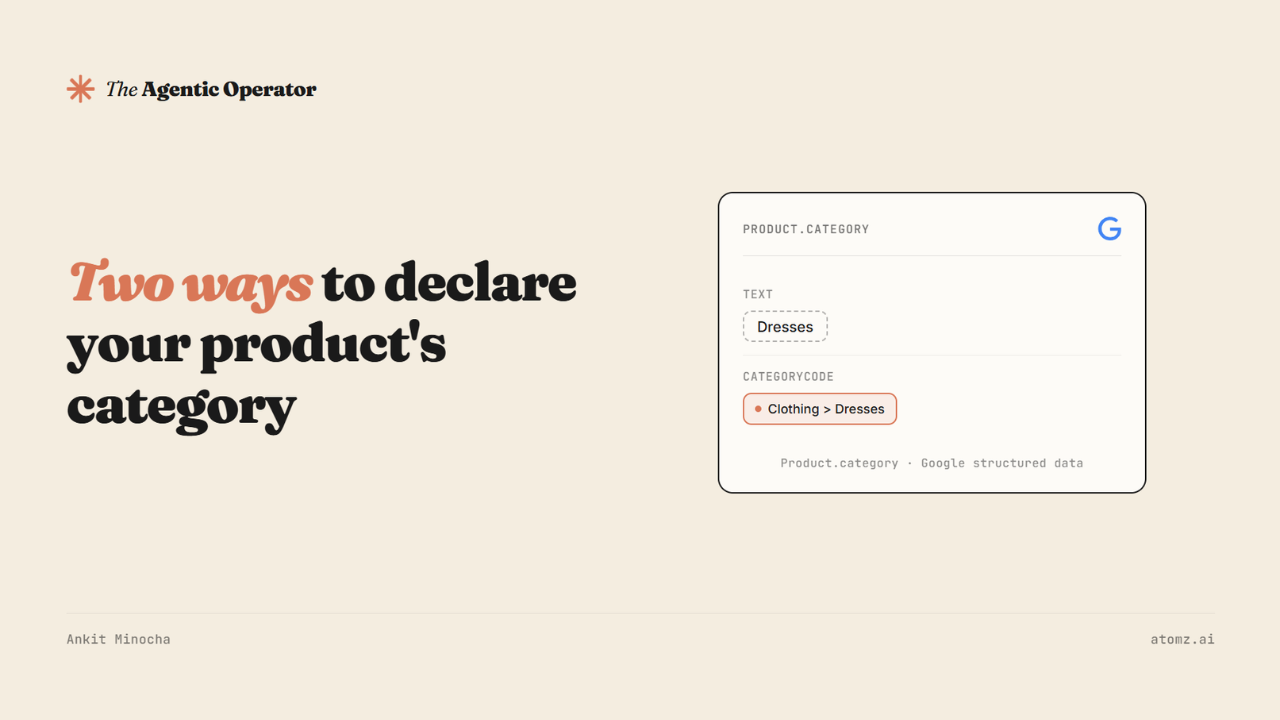
A product page carries an invisible block of code alongside what a shopper actually sees, called structured data - it's how Google reads what a product is.
Google updated the Merchant Listing documentation last month, giving a product's category two ways to live inside it: the plain text label you've always been able to set and a new CategoryCode object that points directly at Google's own product taxonomy.
Worth knowing - it lands on exactly the field that decides whether Google Search, Shopping and AI Mode can place a product against the right query at all.

What actually changed
Product.category could always hold a single text string, the same way product_type works in a Merchant Center feed - a label you write yourself, in your own words.
The new CategoryCode option works differently. It uses inCodeSet to point at Google's product taxonomy and codeValue to specify the exact category, either a numeric ID or a full path like "Apparel & Accessories > Clothing > Dresses”.
A product can carry both at once. Google isn't asking merchants to choose between their own label and its taxonomy, just to stop leaving one of the two off the page.
Where this fits and where it doesn't
Your Shopify admin category feeds two separate places - worth keeping them straight.
One is Shopify's own Catalog system, which is what ChatGPT, Copilot, and Shopify's other agentic channels actually read.
The other is Google Merchant Center, where that same admin category eventually becomes the google_product_category attribute in your feed - the exact classification codeValue is meant to declare on the page, just through a separate channel.
CategoryCode only touches the second one. It gives that Google-facing category a second, independent home right in the page's own structured data, readable even on a day your feed sync lags or breaks. It does nothing for how ChatGPT or Copilot see your catalog, because those never look at that structured data block in the first place.
The part the new markup doesn't fix
The category itself still has to be right before either field means much.
Across the audits run on more than 5,000 Shopify stores, it's usually set to something, but rarely to the exact leaf-level node a shopper's question actually needs - "Apparel" instead of "Dresses", a parent node instead of the specific one three levels down.
And even where the category is exactly right, the attribute fields Shopify unlocks underneath it are still empty.
What to actually check
1/ Open a handful of your best-selling products in Shopify admin and check the assigned category against Shopify's own suggested taxonomy.
If it's sitting one level above the most specific option available, that's the fix worth making first, and it's the one that matters for ChatGPT and Copilot too.

Category metafields, Shopify admin
2/ Once the category's right, look at the attribute fields Shopify unlocks underneath it - material, fit, use case, whatever the category surfaces.
3/ CategoryCode itself isn't a Shopify admin setting. Adding it means a theme edit or a schema app, not a toggle - worth doing if you're already investing in structured data, not worth a developer sprint on its own.
It checks the part that matters everywhere - whether your categories sit at the right level and whether the attribute fields underneath them are actually filled in.
Catalog enrichment with Atomz AI fixes the category and attribute side of it - assigns the leaf-level category and populates what's underneath it, the same underlying data ChatGPT, Copilot, and Google all end up reading in their own way.
- Ankit
If this was useful, the next one will be too.
Weekly. Free.
Unsubscribe with one click.
