Shopify made your store agent readable (how to check)
Your catalog decides what happens next
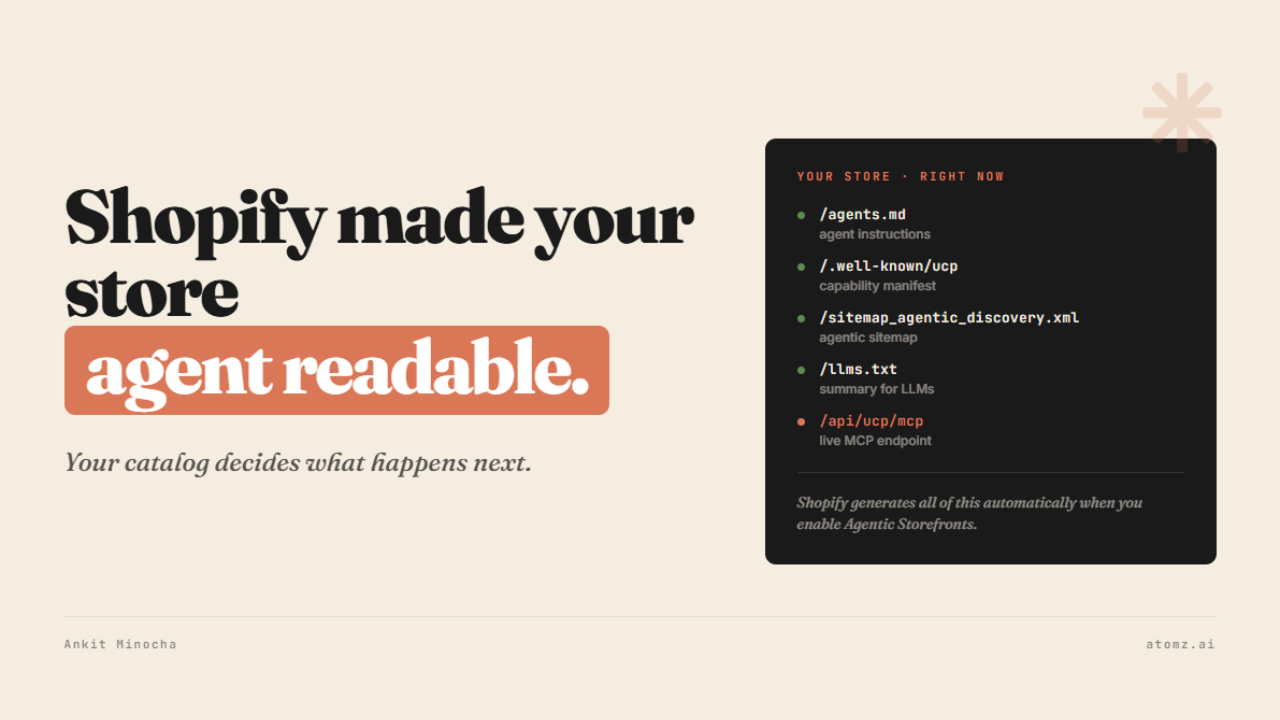
Every Shopify store now has an agent entrance
Shopify recently shipped Agentic Storefronts as a sales channel. With it, every store on the platform got a set of URLs that AI agents - ChatGPT, Copilot, Gemini, and anything built on the Universal Commerce Protocol - can read and transact with directly, without a human ever opening a browser.
Go to yourstore.com/agents.md right now, and you'll find it. Shopify generates and serves this automatically when you enable the feature, and it sits alongside a set of other paths that together form your store's agent infrastructure:
yourstore.com/agents.md - instructions for how an agent should interact with your store
yourstore.com/.well-known/ucp - your capability manifest, declaring what your store supports and how to transact
yourstore.com/sitemap_agentic_discovery.xml - an agentic sitemap built for agent crawlers specifically
yourstore.com/llms.txt - a summary of your store written for language models
yourstore.com/api/ucp/mcp - a live MCP endpoint agents use to search your catalog, build a cart, and complete checkout
The MCP endpoint is the one worth pausing on because it means agents don't need a separate app integration to transact with your store. They read the manifest, hit the endpoint, and the rest happens without any human in the loop. Shopify generates all of this automatically when you enable Agentic Storefronts.
An agent hits these files, reads your catalog, evaluates your products against the query, and either includes you in results or moves on. No human sees your store in that process.

What an agent actually sees when it queries your catalog
The payload is four fields
When an agent asks your store a question - "best block heels under $100," "lightweight running shoes for wide feet," anything a shopper might type into ChatGPT - Shopify sends back a payload for each product that contains exactly four things:
Title
Description
Category
Metafields
That's the complete picture the agent has of your product when it decides whether to include it in results. Your photography doesn't travel in this payload. Your brand story doesn't either. The copy your team spent three weeks perfecting is not what the agent reads when it ranks your product against a query.
What determines whether you show up is whether those four fields are structured, specific, and correctly assigned.
Category is the one that unlocks everything else
Shopify's taxonomy assigns category-specific attribute sets to each product type - and when you assign the right category, the relevant metafields auto-populate as available fields for that product. A skincare product assigned to the correct category unlocks skin type, concern target, active ingredient, and fragrance level as structured attributes. A footwear product gets closure type, material, sole type, and fit.
These are the fields an agent uses to match your product to a structured query. If the category is wrong or missing, those fields don't exist in your catalog. If the fields don't exist, the agent has nothing to evaluate beyond your title and a block of copy text it has to interpret rather than read.

The pattern from 5,000+ store audits
After running AI visibility audits across over 5,000 Shopify stores, the gap that comes up more than any other is not bad copy or missing images.
It's empty product taxonomy fields.
A query comes in, the agent looks for structured attributes to match against it, finds nothing, and returns the product as a non-match - regardless of how good the description is. The product exists in your store but doesn't exist in the retrieval layer.
Accepting Shopify's taxonomy category suggestion makes the product eligible to appear in results across every UCP-compatible agent surface simultaneously - ChatGPT, Copilot, Gemini, and anything else that joins the protocol as it expands. The same structured data that Shopify reads is what every downstream agent surface reads because UCP is a shared open standard, not a Shopify-specific integration.
How to make your Shopify store AI-ready in 10 minutes

- Ankit
If this was useful, the next one will be too.
Weekly. Free.
Unsubscribe with one click.
