Shoppers who use on-site search convert 2-3x more
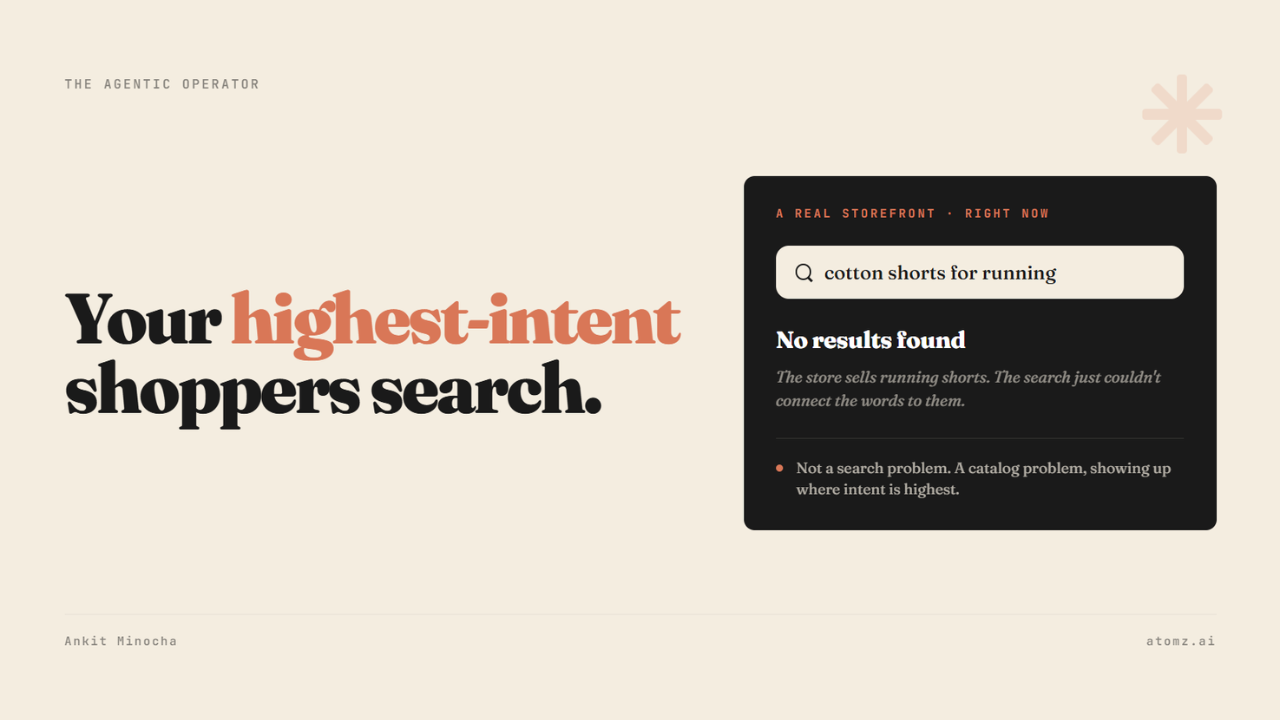
A shopper who types into your search bar has told you something a shopper clicking through your menu hasn't - one is just browsing and the other typed the exact thing they came to buy. That difference shows up in conversion.
Shoppers who use on-site search convert at roughly 2 to 3 times the rate of shoppers who browse. Same traffic, several times the intent.
The search bar is the one place a shopper hands you their intent in their own words. The question is whether your catalog can answer in those same words.

Gymshark storefront for "cotton shorts for running"
What actually happens when someone searches
A shopper types "cotton shorts for running" and the store sells running shorts (which may not be cotton), but the search returns no results.
The product could be there. What's missing is the data the search needed to match it. The listing says "lightweight" and "breathable" but never says cotton, because that sits in an attribute field nobody filled, or in a description too thin to carry it.
Your on-site search and an AI agent read the same catalog:
→ An agent reads it to recommend you off-site, on ChatGPT or Google AI
→ Your search bar reads it to surface you on-site
→ Both break on the same empty fields
A search that returns nothing isn't a search problem on its own. It's a catalog problem, showing up where intent is highest.
Why you never see it happen
A shopper who searches and finds nothing doesn't tell you.
No complaint, no support email - they might retype the query once, maybe twice, and leave, usually for a store that did surface the product.
Shopify keeps this data anyway.

Under Analytics → Reports, three behavior reports sit there by default:
→ Searches by search query
→ Searches with no clicks
→ Searches with no results
That last one lists the exact terms shoppers typed that came back empty. Every line here is a shopper who wanted to buy something and left with nothing.
Where to start
1. Open "Searches with no results" first - it runs the last 30 days and ranks the terms that came back empty. Start at the top - that's your highest-intent unmet demand.
2. Split each query into one of two buckets - a product you don't carry (a stocking decision) or one you do carry, but that can't be found (a data problem). The second bucket is the one you fix today.
3. Compare what the catalog says against what shoppers typed - if they searched "cotton shorts" and the description or the attributes never uses either word, the search had nothing to match. The fix is in the product data, not the search settings.
Structuring this across a real catalog is where merchants stall, which is the reason Atomz exists. It reads your catalog and fills in the attributes and descriptions, so the same data powers your on-site search bar and the AI agents recommending you off-site.
Get Atomz on Shopify - enrich every product's data at scale.
Run the free audit to see where your catalog is thin.
- Ankit
If this was useful, the next one will be too.
Weekly. Free.
Unsubscribe with one click.
