Any AI agent can now shop Shopify stores with Shop Pay
and it reads your sale price too
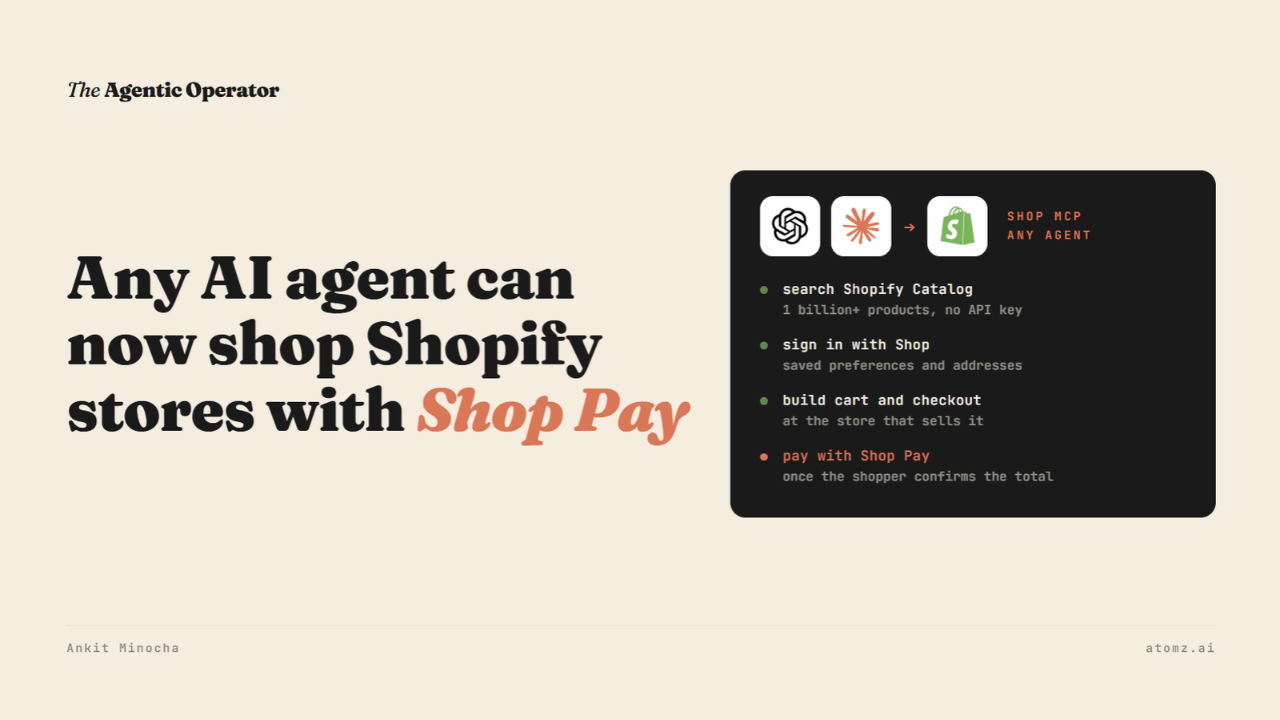
Last week, Shopify opened Shopify Catalog and Shop Pay checkout to any AI agent.
A shopper can now add Shop to ChatGPT or Claude from a page called shop.md. The agent searches products across Shopify stores, builds the cart and checks out with the shopper's Shop Pay details.
Under it sits Shop MCP, which any developer can plug into their own agent. Search doesn't even need an API key.

Source: shop.md
Nothing to set up on your side. The agent searches products that are already in Shopify Catalog. Orders placed this way land in your Shopify admin like any other order.
A few weeks back, when Claude learned to shop, I shared the three pieces Shopify said it would connect agents through - Catalog, UCP and Shop Sign-in. Shop MCP puts all three behind one connection.
What a shopper's agent can do
Shopify's changelog groups it into four parts.
Search over 1 billion products in Shopify Catalog and pull up product details
Let the shopper sign in with Shop once, so search uses their saved preferences
Build a cart and a checkout at the store that sells the product
Find a signed-in shopper's orders and tracking
Carts and checkout work without sign-in.
With sign-in, the agent can use saved addresses and Shop Pay. It places the order only after the shopper confirms the total and the payment method.

Source: Shopify developer changelog
Shopify says that before this, an agent could find a product in Catalog but had to send the shopper to the store's site to pay. That step often lost the shopper.
I covered WebMCP checkout, which runs in the shopper's browser on your checkout page. This one works from inside the agent and doesn't have to open your site.
What it reads from your store
Shop publishes a file of instructions for agents that connect to it, called skill.md.
It lets an agent filter on three product attributes - size, color and target gender. It can also filter on price, the store and where the product ships.
Anything else the shopper asks for, the agent has to check against the product's details. Each result shows one version of a product, like one size in one color.
Shop's developer page also warns that product details Shopify fills in with AI can be missing or wrong.
So the agent works from what your product record says.
Across 400,000+ live Shopify products, we found 51% of what a shopper asks about sits somewhere in readable text. Only 6% of that is filterable.
Your sale price and email opt-ins
Two smaller changes landed the same month.
From October 9, the Catalog API sends your compare-at price to agents as a list price. An agent can see that a product is marked down and by how much.
Shopify says it turned this on by default for most stores. It's off for stores that use compare-at for an MSRP or another reference price.

Source: Shopify developer changelog
Shopify's help page adds one detail. Your store starts with a default setting. If you later change how you use compare-at prices, the setting stays where it was.
Earlier this month I shared how that same field decides whether Google shows your sale price. Agents reading Shopify Catalog get it too.
On October 16, Shopify let agents offer email and SMS opt-ins at checkout. A shopper can opt in inside the agent. The choice arrives with the order.
If the agent sends no choice, Shopify uses your store's default settings for the shopper's country. If the country is unknown, the shopper stays opted out. Agents have to add support for it first.

Source: Shopify developer changelog
Three checks before Black Friday
1/ Go to Sales channels > Agentic. Under Sources, click Shopify Catalog, then Review product data mapping. Leave the Compare-at switch on if your compare-at prices are your pre-sale prices. Turn it off if they hold an MSRP. The Preview tab shows how a sale product's price comes through.
2/ Open your top five products. Move size and color out of titles and tags into product options. Write the details shoppers ask about, like fit or material, into the description or category fields.
3/ Ask whoever runs your dev work to install Shopify's shop CLI and search for your best seller. Shopify says each result shows the store, the price and whether it's in stock - the shape of data an agent gets.
The Shopify Catalog audit shows what an AI agent reads from your catalog and how you compare with competitors for the same shopper queries. Audit now →
Atomz AI fills in category attributes across your catalog, so the agents searching Shopify Catalog find the details shoppers ask about. Get in touch for a demo.
- Ankit
If this was useful, the next one will be too.
Weekly. Free.
Unsubscribe with one click.
