Google AI can now quote your store's Black Friday codes
and the end dates shoppers see
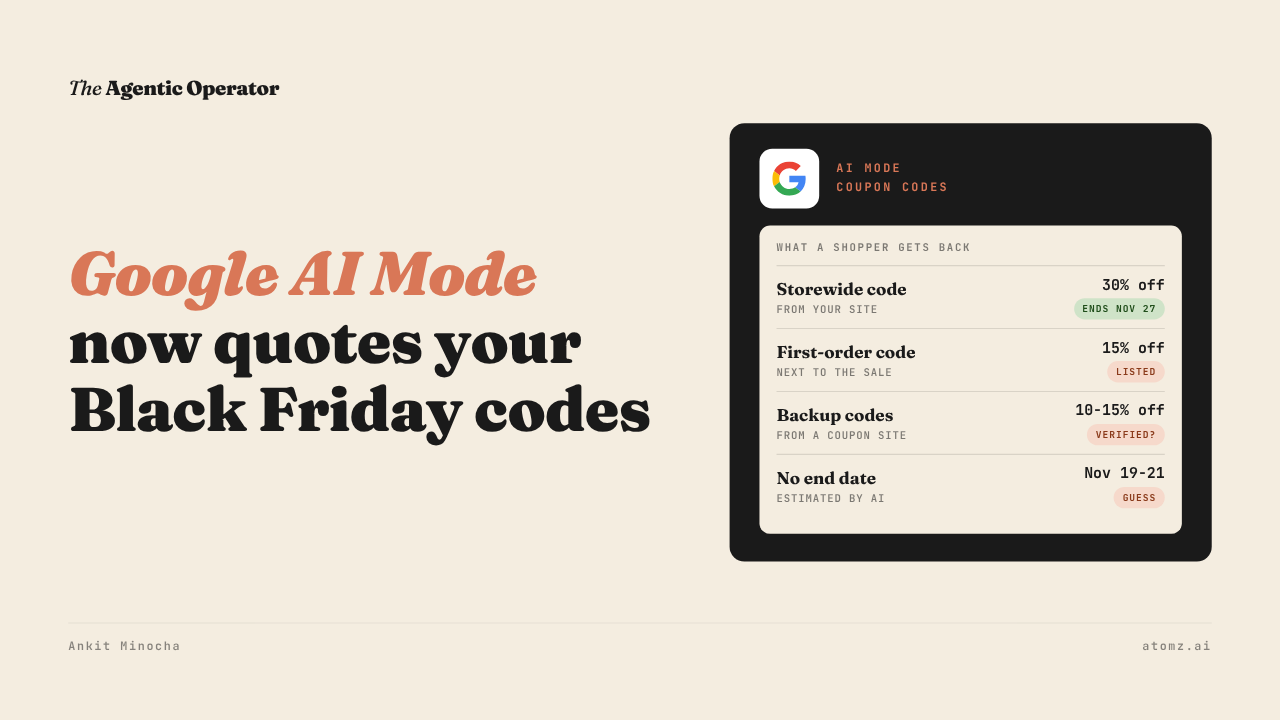
If your shoppers ask Google AI Mode about deals this week, they can get your discount codes in the answer, with the date each one ends.
I asked AI Mode about deals in five categories, from moisturizer to winter coats. Each time I followed up asking for coupon codes or deals ending soon, it listed the codes.
Some came from the brands’ online stores and others from third-party coupon sites. They included codes meant for first orders and email signups as well.
What a shopper sees
For winter coats, AI Mode put the codes in a table with an end date for each brand. Where a brand hadn't published a date, it estimated one, saying that brand's weekly codes typically expire around November 19 to 21.

Source: Google AI Mode
Some codes show up without a follow-up.
When I asked about leather belts, the first answer already named BFCM2026 as one brand's Black Friday code, with the gift box price after the code.
Last month I shared how Google Ads started reading deals from your website. AI Mode now does it inside the answer a shopper reads.
Where the codes come from
Next to each answer, AI Mode lists its sources - the brand’s sale pages and coupon sites like CouponFollow, Groupon, TenereTeam and more.
For one belt brand, it said the brand "does not publish a hard cutoff date" for its Black Friday code. Then it added two backup codes it called verified from a coupon site.

Source: Google AI Mode
For a skincare brand, the answer put a storewide code ending that day next to the brand's 15% first-order code. A code meant for new subscribers can reach any shopper who asks for one in the Google AI chat.
Send your discounts to Google
AI Mode found most of these codes by reading pages.
Google also takes discounts straight from your store as Merchant Center promotions, sent by the Google & YouTube app on Shopify.
A discount syncs when you add Google under its sales channels and give it an end date. Free shipping, buy X get Y and collection discounts don't sync.

Source: Google Merchant Center Help
Google shows these promotions on Shopping listings. When one ends within 7 days, the listing can show a countdown like "3 days left" under the price.
One sponsored dress listing showed "Discount code" and "18 hours left" under its price.

Source: Google Shopping
Check yours before Black Friday
1/ Ask AI Mode "[your brand] promo code" and "[your brand] Black Friday deal". Note every code it lists, the end date it gives and the sources it cites.
2/ In Shopify, go to Discounts. End the codes you no longer want used. Give every Black Friday code an end date and add Google as a sales channel.
3/ Turn on "Limit to one use per customer" for first-order and email codes, so a shared code only works once per shopper.
4/ Put each code and its end date in plain text on your sale page or announcement bar, like "BLACKFRIDAY20 ends Dec 1". Where brands left the date out, AI Mode guessed one or took it from a coupon site. A date on your own page gives it one to quote.
A code only matters once a shopper has picked your product. See which brand AI will recommend ahead of yours when a shopper asks for what you sell.
Atomz AI fills in category attributes on every product, so the product behind your code matches what the shopper asked for. Talk to us about a demo.
- Ankit
If this was useful, the next one will be too.
Weekly. Free.
Unsubscribe with one click.