Google's Universal Cart is live for Shopify stores
and how orders reach your store
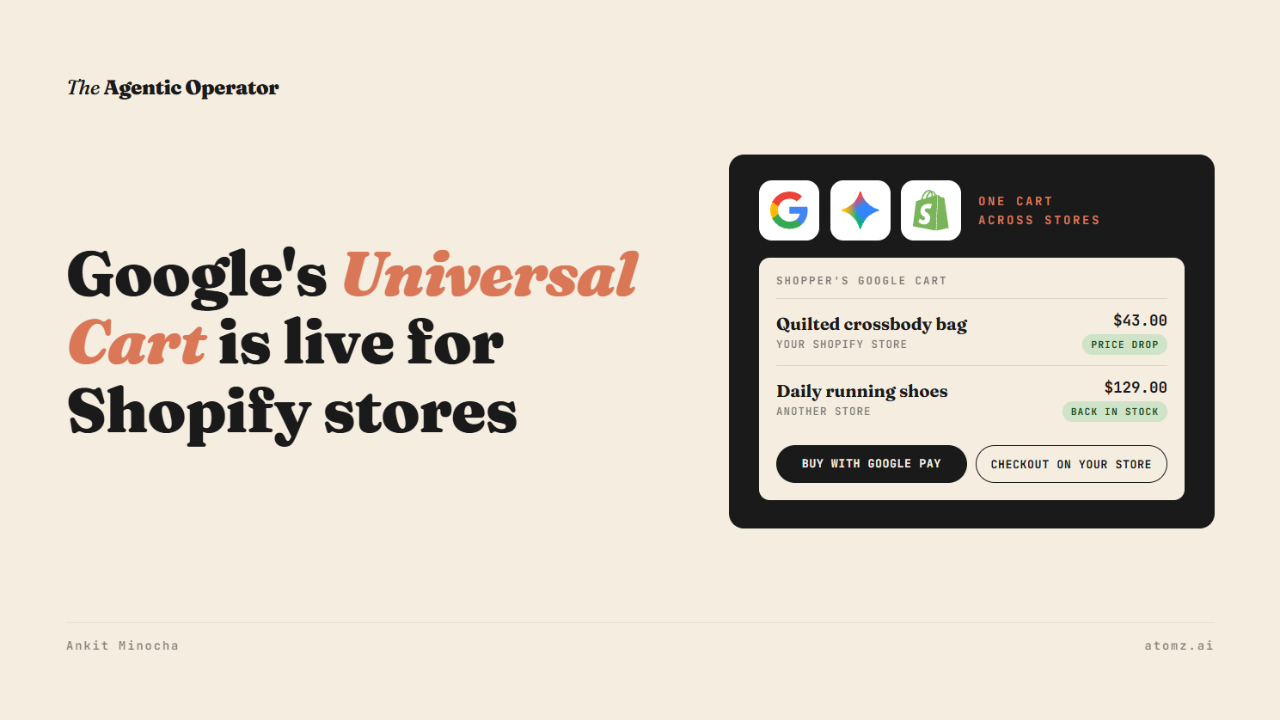
Universal Cart started rolling out last week across Search and the Gemini app.
A shopper can save products from different stores into one Google cart. Google watches those items and sends an alert when one drops in price or comes back in stock.
When the shopper is ready, they pay with Google Pay inside the cart. Or they send the items over to the store's site and pay there.
Google named Nike, Target and Walmart among the stores in it.
They also said many Shopify merchants are in.

Source: Google
Earlier this month I shared how Google turned on checkout in AI Mode for Shopify stores. Buying inside the cart runs on that same checkout.
What a shopper sees
I searched for a Steve Madden crossbody bag in AI Mode from a US connection.
Each store's offer had Visit site and Add to cart buttons. Some had Buy now as well.
A small Shopify boutique selling the bag had all three. Another seller had Add to cart and no Buy now. A shopper can still save that one and finish on the seller's site.

Source: Google AI Mode
Add to cart puts the item in the shopper's Google cart.
Buy now goes straight to Google's checkout.
How the order reaches your store
Google gives a store two ways to take the sale.
Checkout on Google - the shopper pays with Google Pay inside the cart
Cart transfer - the shopper sends the items to the store's site and pays there
Either way, the store stays the seller and handles confirmations and support.
For an eligible US Shopify store, the first path is the direct checkout Shopify switched on by default.
Stores tell AI agents and Google what they support in a file at /.well-known/ucp.
I opened that file on two Shopify stores. Both list a cart and a checkout, with Google Pay as a payment option. Shopify publishes this file on its stores.

Source: a Shopify store's UCP file
With cart transfer, Google holds the items itself.
Your store gets one request with every item in it when the shopper clicks to check out on your site. Nothing reaches you before that.
My read is that a save in Google's cart doesn't create a cart in your store, so it won't start your abandoned-cart emails.
If you also run stores on other platforms, those stores set this up in Merchant Center under Settings > UCP integration. Google is rolling the hub out slowly in the US and picks which stores get in.
Where the alerts come from
Google says the cart is built on its Shopping Graph of 60 billion+ listings. That's how it spots price drops and restocks.
For a Shopify store, the price and stock Google has usually come from Merchant Center, synced by the Google & YouTube app.
If a sale ends in your store before the feed catches up, a shopper can get a price-drop alert for a price that's gone.
Two weeks ago I shared how AI Mode started tracking prices for any shopper. The cart now does that for every item a shopper saves.
Four checks before Black Friday
1/ Go to Sales channels > Agentic, turn off "Allow Shopify to manage for me" and click Google AI Mode and Gemini. See whether Direct checkout is on. With it off, shoppers still find your products but buy on your site.
2/ In the Google & YouTube channel, make sure product sync and shipping sync are on. Set sale prices with a compare-at price so Google sees the drop.
3/ Open yourstore.com/.well-known/ucp in a browser. Look for dev.ucp.shopping.cart and dev.ucp.shopping.checkout in the list.
4/ Search your best seller in AI Mode (from the US) and see whether your offer shows Add to cart and Buy now.
Google's cart reads your products from your feed.
The Shopify Catalog audit shows what an AI agent reads from your catalog and how you compare with competitors for the same shopper queries. Audit now →
Atomz AI fills in category attributes across your catalog, so the feed Google reads carries the details shoppers ask about. Get in touch for a demo.
- Ankit
If this was useful, the next one will be too.
Weekly. Free.
Unsubscribe with one click.
