Hacked Shopify apps sent shoppers to a fake checkout
and how to check your store with Claude
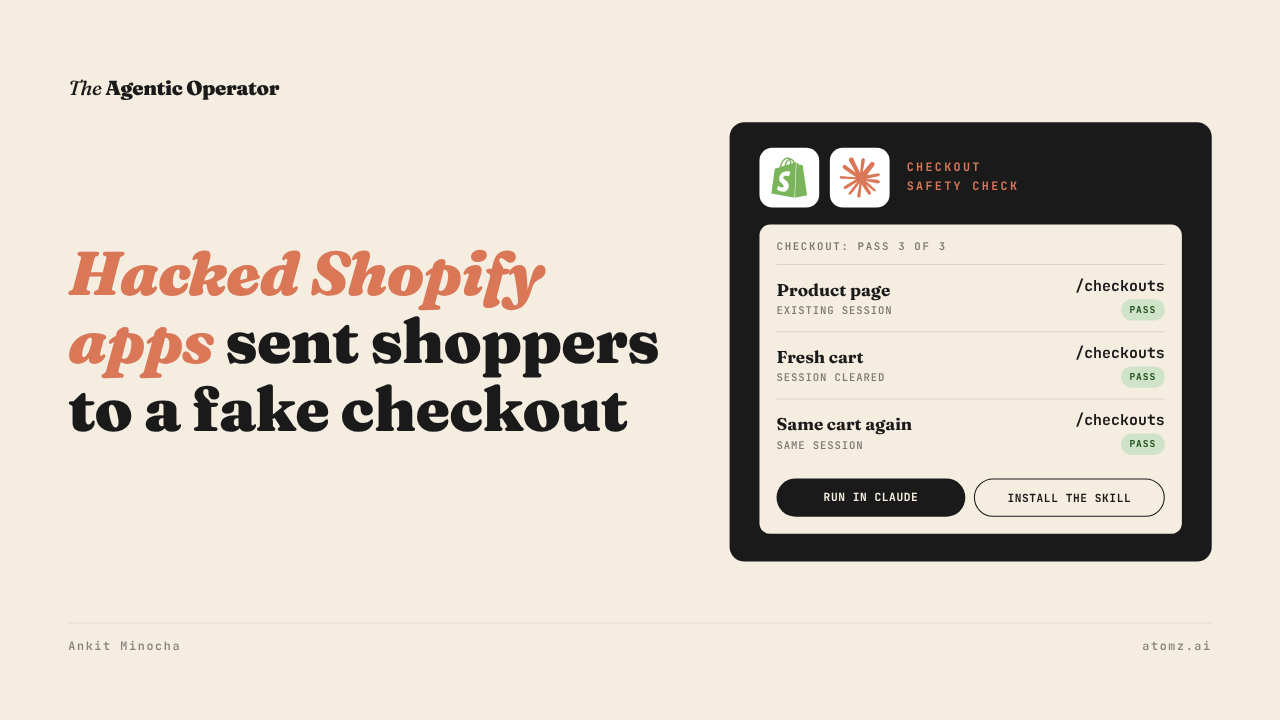
This month, hacked apps on some Shopify stores sent shoppers to a fake checkout.
The shopper clicked Checkout and landed on a page that looked like Shopify's. They entered their card details there. Then they were sent on to the store's own checkout, so the order completed and nobody noticed.
Shopify added a warning before stores send shoppers to outside websites. They also told app developers to lock down their apps.

Source: Shopify Changelog
How the fake checkout worked
The code came in through an app's settings, which the app loads from its own servers. It never sat in the store's theme files.
When a shopper clicked Checkout, the script sent them to a lookalike page on another domain first.
It fired only once per shopper per store. So when a merchant tested it again, the checkout looked normal. Merchants who searched their theme code found nothing.
What Shopify changed
On October 20, Shopify made every store ask shoppers to confirm before going to a website outside the store.
Three days later, they narrowed it. Stores now block websites Shopify has flagged as malicious and ask about suspicious ones. Everything else opens as normal.
Domains connected to your store don't trigger the message. A domain you own but haven't connected might.
Shopify also asked app developers to act right away. Their list includes moving to access tokens that expire and treating store data like metafields as untrusted.
Shopify pulled one affected app from the App Store and switched off another's storefront code while it was cleaned up. Their statement read "When an app falls short, we act".
Testing your own store with Claude
I added six prompts to The Agentic Operator skill for this, under Storefront Security.

Source: The Agentic Operator skill
The first is the checkout safety check. It runs your checkout three ways in Chrome - from a product page, from a fresh cart and from the same cart again.
Then it records the website each one lands on.
How to set it up:
Download the skill file - Get it here
In Claude, add it under Customize > Skills > Add > Upload a skill
Install Claude in Chrome and sign in, so Claude can open your store in browser
How to run the check:
Open a new chat in Claude and type /the-agentic-operator
Ask it to run the checkout safety check on your store's URL
Claude opens your store in Chrome and goes to checkout three ways. It tells you PASS or FAIL for each, the website each one landed on and what it couldn't test, like express checkout buttons
I ran it on a demo store I use for tests. All three paths landed on the store's own /checkouts/ page, so it came back PASS 3 of 3. It found no one-time flags in session storage and left one product in the cart.

A clean result only covers that session. I ran mine logged in as staff. The skill flags that the code can skip repeat visitors and staff sessions.
The other prompts go further. One audits every script on your storefront and ranks your apps by the damage each could do if its vendor got hacked. Another writes the security questions to send that vendor.
Back in July, I shared how the skill runs your Shopify and Klaviyo work from one chat. Storefront Security is its newest part.
Four checks before Black Friday
1/ Open your store in a private window on desktop and on your phone. Add a product, click Checkout and check that the address bar shows either your own domain with /checkouts/ in it or shop.app.
2/ Go to Settings > Apps and uninstall apps you don't use from the Installed tab. For the rest, look at any app setting that lets you paste custom code.
3/ Go to Settings > Domains and use Connect existing for any domain you own and link to. Shopify's message then stays off your own links.
4/ Go to Settings > Users. Each person shows whether a secure sign-in method is required. Turn it on for every account and remove people who no longer need access. Under Security, switch collaborator requests to Require code.
All six security prompts are in The Agentic Operator skill, next to the catalog, email and ads prompts. Download the skill for free →
The Shopify Catalog audit shows what an AI agent reads from your catalog and how you compare with competitors for the same shopper queries. Audit now →
Atomz AI fills in category attributes across your catalog, so AI agents can read every product you sell. Get in touch for a demo.
- Ankit
If this was useful, the next one will be too.
Weekly. Free.
Unsubscribe with one click.
