How ChatGPT picks which ad to show next to an answer
and how it picks which one to show
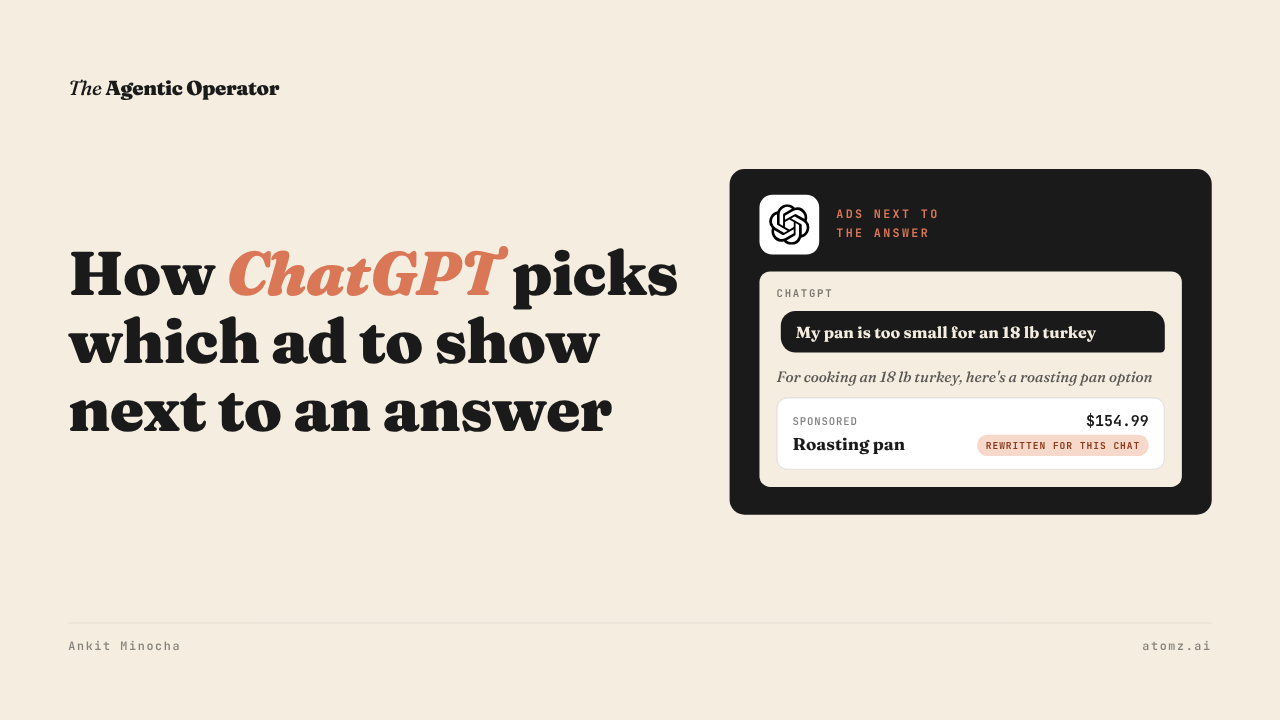
OpenAI published how ChatGPT decides whether to show an ad and which one.
It's an engineering post from October 21. The same day, they said ChatGPT ads now run in 89 countries and more than 100,000 advertisers have used them.

Source: OpenAI
Earlier this month I shared how ChatGPT ads can now run from inside your Shopify admin, built from your product data.
This one is about what happens to that ad once it's live.
How an ad gets picked
Ads run on a separate system from the one that writes ChatGPT's answers. OpenAI says it keeps them separate so ads don't influence the answers.
A model OpenAI calls the orchestrator follows the conversation across several messages. If the person has turned on personalization, it also looks at their past chats. It turns all of that into short summaries, then searches for ads that fit.
Those ads go through checks for budget, targeting and policy. Then they're scored on how relevant they are and how likely someone is to click.
The orchestrator nominates a few. An auction then picks the winner and sets the price.
Showing no ad is a normal result. OpenAI calls it "an ordinary, successful outcome".
An ad can also win the auction and still not appear, if it isn't ready by the time ChatGPT finishes answering.
What I saw in a chat
I told ChatGPT I was hosting Thanksgiving for 12 for the first time. I got a plan and no ad.
Then I said my roasting pan was too small for an 18 lb turkey. This time a sponsored product showed under the answer.
The line above it read "For cooking an 18 lb turkey, here's a roasting pan option".

Source: ChatGPT
OpenAI's model writes that line to tie the ad to the chat. The advertiser's own title and price sit in the card below it.
Last month I shared the ad formats ChatGPT uses, including this short line above ads.
OpenAI also says that when it pulls product feed ads, it looks at whether a product's reviews are positive or negative.
OpenAI will rewrite ads by default
OpenAI calls it creative enhancements. It adapts your ad to the conversation using your ad and your landing page.
It can change your headline and description, translate them and resize images. It can also send the click to a different page on your site that fits the chat.
You don't approve each version.

Source: OpenAI
It switches on by default for new and existing campaigns at the end of October. You can opt out in Ads Manager under Manage settings, for the whole account or one campaign.
OpenAI's help page doesn't say whether this covers product feed ads.
Four checks for your ChatGPT ads
1/ Open Ads Manager > Manage settings and decide if creative enhancements stay on before the end of October.
2/ Keep the pages your ads point to up to date with prices, promotions and stock. OpenAI says enhanced ads draw on them.
3/ Read the titles and descriptions of the products you advertise. Make sure they say what each product is for, like the size, the use or the occasion.
4/ From a country where ChatGPT ads run, have a multi-message chat about a need your product meets. See whether an ad shows and on which message.
ChatGPT matches product ads to a conversation from what your product data says.
The Shopify Catalog audit shows whether your products say enough for an agent to match them to a shopper's need. Audit now →
Atomz AI fills in category attributes across your catalog, so each product says what it's for. Get in touch for a demo.
- Ankit
If this was useful, the next one will be too.
Weekly. Free.
Unsubscribe with one click.
