How shoppers search before they buy and what AI shows them
what they ask and what AI shows
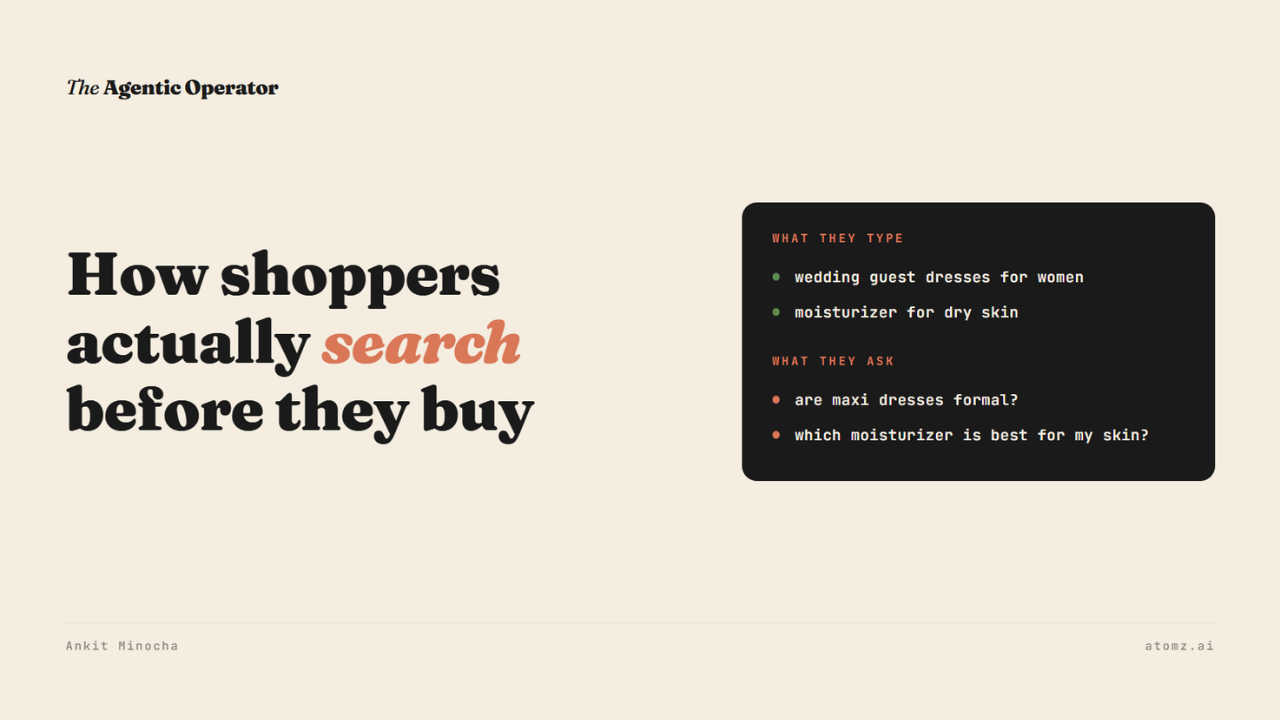
Many Shopify product pages that I have checked so far describe a product the way the brand thinks about it, by collection name or hero ingredient.
Shoppers search differently.
They start with who it's for and what it's for and then ask whether it'll work for them.
I wanted to see what that looks like in data. So I pulled two sets of shopper language across 75 product categories.
1/ The first is what people type into Amazon's search box to find a product.
2/ The second is what they ask Google before they buy.
The first set was the basis of an earlier issue on how little of it Shopify can filter.
This time I put both side by side - two categories show the pattern clearly: apparel and skin care. To make it easy to understand, I am picking one product from each.
What shoppers type (and what they ask)
1/ Dresses
Of the top dress searches, 40% name who it's for ("summer dresses for women").
28% name an occasion, such as "wedding guest dresses" or "fall wedding guest dress".
20% name a length ("maxi").
Shopify has a Dress occasion attribute for this. In our catalog sample, it's missing on 71% of dresses and filterable on only 1%.
Questions shoppers ask Google are about the occasion too - about 89% of them.
→ "Are maxi dresses formal?"
→ "Are jumpsuits business casual?"
→ "What does summer formal dress code mean?"
2/ Moisturizers
Here the search starts with the shopper's skin. 32% of top searches name a skin type ("moisturizer for dry skin", "for oily skin", "for mature skin").
20% ask for SPF.
Their questions are about skin too. Half of them are some version of "which moisturizer is best for my skin", for acne-prone, combination or sensitive skin.
So a dress shopper leads with the event and a moisturizer shopper leads with their skin.
How AI turns an occasion into a shortlist
I asked Google's AI Mode "what dress should I wear to a semi formal fall wedding".
It turned the occasion into specs: a midi or tea-length dress, heavier fabrics such as velvet and satin, three-quarter or long sleeves and deeper colours.

Source: Google AI Mode
Each dress it picked had those specs listed under it, like "Pleated satin fabric, midi length". Then it asked me to narrow it down with some follow-up questions.
Then I tried "best moisturizer for dry sensitive skin". It showed fragrance-free creams with ceramides and a few follow-up questions in the same way.
Which products make that list depends on which ones state those specs.
Which brand Shopify Catalog shows first
Shopify Catalog is the index that agents like ChatGPT and Muse search when they shop from stores and the audit's Query Tests show what it returns, live.
I ran "wedding guest dresses for women" for Petal & Pup, a brand that sells plenty of them. Petal & Pup wasn't in the top 50. The first four results all came from one brand, Ever-Pretty and all the titles say "Wedding Guest Dress".

Query Tests, live Shopify Catalog API
Petal & Pup knows that their shoppers buy this way.
Their on-site search returned 653 products for "wedding guest".
But not one product title says "wedding". For the dress that AI audit checked, Shopify only guessed at the occasion and agents can't filter on a guess.
Moisturizers showed it too. Glow Recipe ranks #1 for "watermelon moisturizer", the brand's signature word. For "moisturizer for dry skin", it isn't in the top 50.

Query Tests, live Shopify Catalog API
Glow Recipe does sell products for dry skin. But the top result from Dermalogica states skin type plainly in the data an AI agent can read: dry, sensitive, with redness.

Dermalogica #1 result expanded
Run the same test on your category
Pick the category that brings in the most revenue and try this:
1/ Write down 10 phrases your shoppers use.
Pull them from the search reports in your Shopify admin, and from what Google suggests when you type "[your product] for" or "is [your product]".
2/ Run each one in the audit's Query Tests and note where you land.
3/ Where someone else wins, open "Full catalog data" on their result. Look for the query's words in their title, description and attributes.
4/ Put those shopper words into your titles, descriptions and category attributes.
Atomz can automate this and fill in every attribute and expand descriptions from what's already on your store, like occasion for a dress or skin type for a moisturizer.
Get in touch to see what Atomz AI can do on your catalog.
The Shopify Catalog audit shows what an AI agent reads from your catalog and how you compare with competitors for the same shopper queries.
- Ankit
If this was useful, the next one will be too.
Weekly. Free.
Unsubscribe with one click.
