6 things in Shopify's Fall '26 Edition to check before BFCM
and where each one sits in your admin
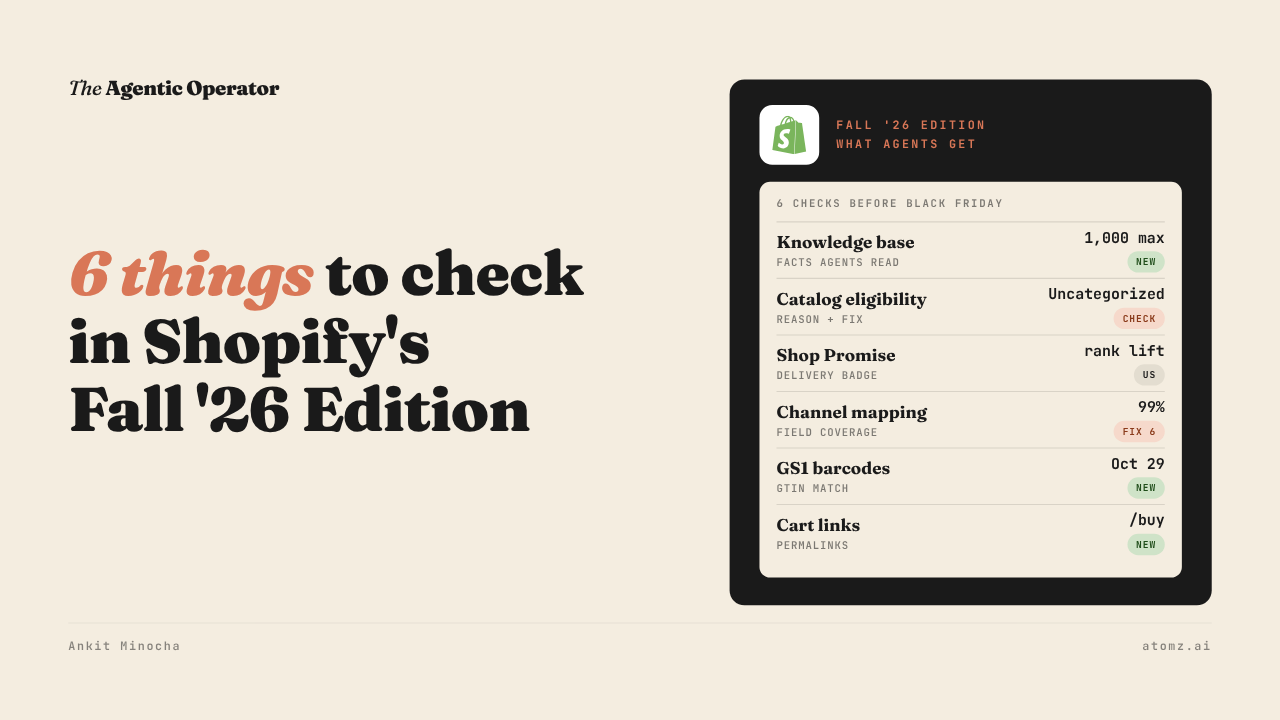
Shopify's Fall '26 Edition came out last week with more than 150 updates.
Most of it is about running a store, like Sidekick, fraud tools, POS and checkout design.
Here are six updates that change what AI agents can get from your store. Each one has a place in your admin to check.
1. What agents can say about your store
Shopify built a knowledge base into your admin. They call it the source of truth for AI agents on everything about your store that isn't a product.
It covers policies, contact details, shipping, returns and warranty, payment methods, gift services and more. Shopify drafts these facts by scanning your storefront. Nothing it drafts reaches an agent until you approve it.

Source: Shopify admin
Your policies and contact details publish on their own once they're in your admin. You can also add your own facts as a paragraph, a yes or no answer or a list of tags.
The limit is 1,000 facts in total. The old Knowledge Base app goes away on January 15, 2027. Stores with more than 1,000 facts in it have to add them again by hand.
2. When Shopify Catalog leaves products out
Shopify Catalog is how your products reach AI channels like ChatGPT and Copilot. Your admin now shows whether your store is eligible.
If you aren't eligible, you will see the reason and a suggested fix.
Products have their own rules. Each one needs a title, at least one image and a price above zero. It also has to be published to your online store.
Some categories are left out, like alcohol, services and event tickets. So are products with no category at all, which Shopify lists as Uncategorized.
3. A delivery badge that can lift ranking
Shopify says products with the Shop Promise badge can rank higher in Shop app search and in the Shopify Catalog data shopping agents use.
The badge shows trusted delivery, free returns or returns accepted. The returns part comes from the return rules in your admin.
It's a free US program. Shopify says eligibility grew 20x. A store needs a US location that ships in the US, Shop Pay turned on and tracking on at least 90% of orders.
4. Data coverage by channel
Channel mapping now has a page for each sales channel, including Shopify Catalog. It shows which field in your store feeds each field the channel receives.
Every field shows a coverage percentage. Click it to see whether the field is required and how many products are missing it. "Fix" then opens a bulk editor with only those products.

Source: Shopify admin
For Shopify Catalog, coverage counts every product in your store.
Last month I shared where to find the compare-at setting for Shopify Catalog. The new page shows every field in one view.
Coverage shows one field at a time. To see the whole catalog at once, I ran the catalog completeness scorecard from The Agentic Operator skill inside Claude.

Source: The Agentic Operator skill, run on a demo store
It came back at 85.5% across 1,264 products.
Tags were the weakest field, with 3 products carrying three or more. Every product had five or more metafields, mostly SEO and Google Shopping fields.
To run it
1/ Download the skill file - Get it here
2/ In Claude, go to Customize > Skills > Add > Upload a skill
3/ Then, connect your Shopify store
4/ In a new chat, type /the-agentic-operator. Ask for the catalog completeness scorecard.
5. Barcodes checked against GS1
Shopify checks your barcodes against GS1, the organization that issues GTINs. A barcode that matches a registered GTIN gets suggested as a GTIN instead of a custom code.
You can hover over a barcode to compare your product with GS1's record for it. Shopify says channels like Google use GTINs to match listings to products.
6. Cart links move to /buy
Your store now has a /buy link that builds a cart from variant IDs. It can also fill in the shopper's email, apply a discount code and ask for Shop Pay.
I tested a /buy link on a live store. It opened a cart with that exact variant in it and left checkout to the shopper. See the test on LinkedIn
Shopify calls the old /cart links legacy. They keep working, but new features only come to /buy. Selling plans, line item properties and cart notes aren't supported on /buy yet. So subscription links stay on /cart.
The new link is listed for agents too. I opened the UCP file on two Shopify stores, one with retail shops and one that sells online only. Both list /buy.

Source: a Shopify store's UCP file
Six checks before Black Friday
1/ Go to Sales channels > Agentic > Knowledge base. Approve or reject each suggestion and add the facts shoppers ask about most.
2/ On the Agentic page, click the status next to Shopify Catalog under Sources and read the reason. Then in Products, filter by Category and pick Uncategorized.
3/ Go to Settings > Shipping and delivery and open the Shop Promise card. If your Shop Promise settings still sit in the Shop channel, your store hasn't moved to the new program.
4/ Go to Settings > Sales channels and click Edit channel mappings, then pick Shopify Catalog. Start with required fields under 100%.
5/ Open the products bulk editor and accept the GTIN suggestions.
6/ Open [your store URL]/.well-known/ucp and search for "permalink". Then try /buy on one email or creator link that doesn't sell a subscription.
The Shopify Catalog audit shows what an AI agent reads from your products and how you compare with other Shopify stores for the same shopper query. Audit now →
Atomz AI fills in category attributes across your catalog, so the fields Shopify Catalog sends to agents have values. Get in touch for a demo.
- Ankit
If this was useful, the next one will be too.
Weekly. Free.
Unsubscribe with one click.