ChatGPT now pays for orders on your Shopify checkout
three settings that can block it
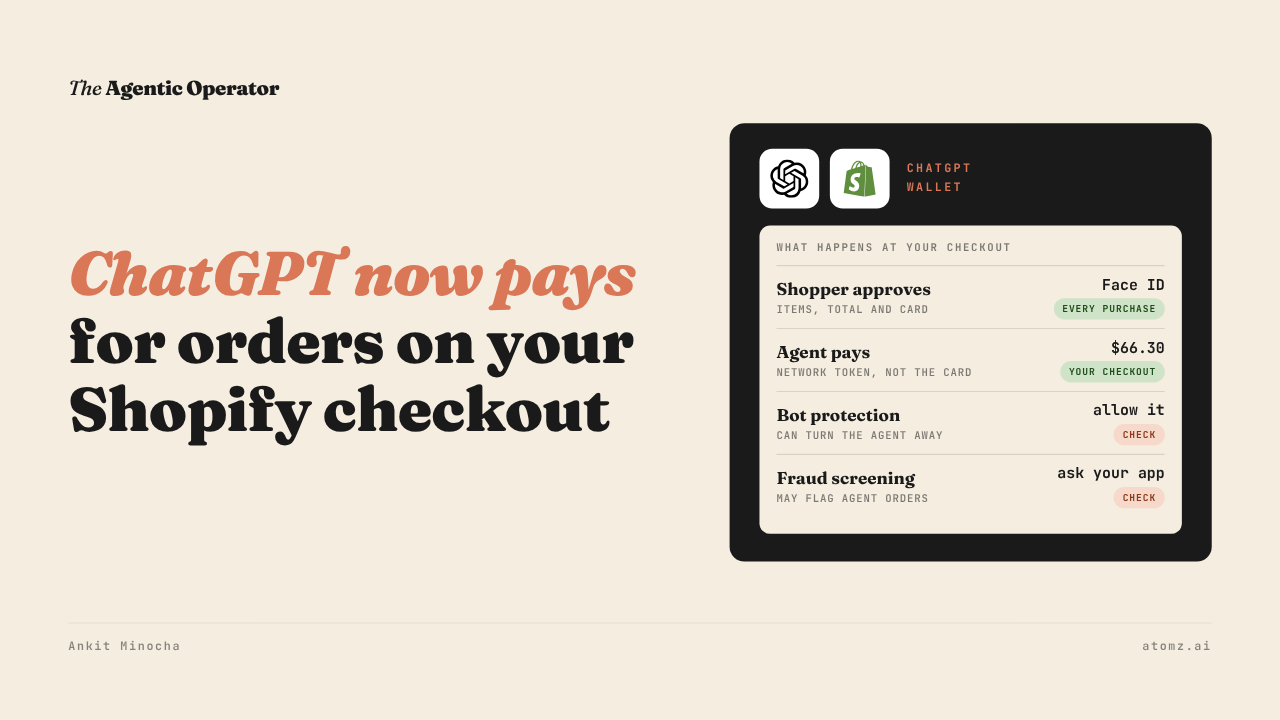
OpenAI launched ChatGPT Wallet last week.
A shopper saves a card in ChatGPT once. After that, ChatGPT's shopping agent can pay for an order on your store's own checkout.
You don't need a new checkout, a plugin or a product feed for it.
For now it's open to ChatGPT Pro users in the US.
OpenAI also warned that some stores may block these orders without meaning to, usually through security or fraud settings they already have.
How an agent pays
The shopper asks ChatGPT to buy something and the agent fills in your checkout.
The shopper sees the items, the total and the card being used for the transaction, then approves with Face ID or a fingerprint. The card network then issues a token with its own card number, security code and expiry for the agent to enter.

Source: OpenAI
Neither your store nor the agent ever sees the shopper's card number.
OpenAI says the shopper buys directly from you, so you keep the customer and control pricing, shipping, returns and support.

A couple of weeks back I shared how Meta's Muse paid with Link on a Shopify store's checkout. Now ChatGPT is paying on behalf of shoppers too.
Where these orders can get stuck
OpenAI says stores don't need any Wallet-specific integration. What can go wrong is a setting already on your store turning the agent away.
They say security settings can block the agent from a site. Bot protection is built to stop automated checkouts, so an agent buying for a shopper can look like a bot to it. Risk systems may also flag a legitimate agent purchase as fraud.
They're working with fraud prevention companies including Forter, Riskified, Sardine and Signifyd, plus payment providers including Adyen, Checkout.com and Stripe.
If you use Shopify Payments, it runs on Stripe, so the payment side is covered. Your fraud app is the part to check. Three things on your side can turn the agent away.
Get your checkout ready
1/ If you run Cloudflare or a bot protection app in front of your store, check it lets ChatGPT's agent through. In Cloudflare, it's listed as "dots, OpenAI" under Personal Agents. In Akamai and HUMAN, it's "ChatGPT Agent".

Source: OpenAI
2/ If your store makes customers sign in before checkout, the agent stops at the sign-in page. OpenAI's fix is Sign in with ChatGPT, which lets the shopper log in with their ChatGPT account. If guests can check out on your store, this one doesn't apply.
3/ Ask your fraud app, like Signifyd or NoFraud, whether it recognizes ChatGPT Wallet orders. Then watch out for agent orders it cancels over the first few weeks.
Before an agent pays, it has to pick your product over the rest. See which products ChatGPT picks when a shopper asks for what you sell. Check your products →
Atomz AI fills in the details an agent compares, like material, fit and use, on every product in your catalog. Book a demo
- Ankit
If this was useful, the next one will be too.
Weekly. Free.
Unsubscribe with one click.