How Meta's Muse picks products and buys on Shopify
and how it checks out on your store
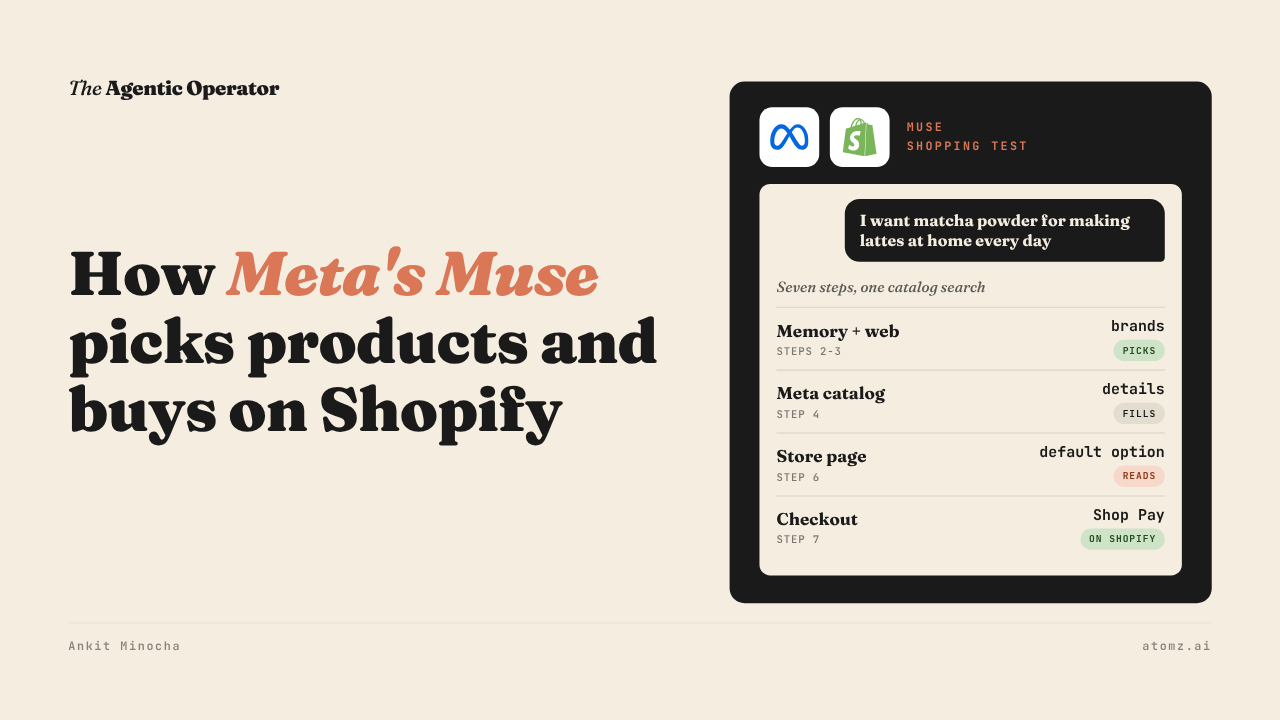
I asked Meta's Muse for matcha to make lattes at home and watched what it did before it answered.
Muse works on its own Linux computer at Meta. Before it shows a product, it reads what it remembers about the shopper and searches the web. Then it searches a product catalog and opens the store's page to check price and stock.

Source: my Muse test
Every shopping request I ran went through the same seven steps. Only one of them touches a product catalog.
Last month I shared how Muse got stuck adding sneakers to a cart on a store. It does open your store in a browser, but by then it has already picked the brands.
Where the picks came from
Muse came back with three 100g bags, two from Naoki and one from Jade Leaf. It compared them on cost per latte, about $1.02 a drink for the Naoki Barista Blend and $1.50 for Jade Leaf.

Source: Muse
I ran the same sentence through Shopify Catalog. Naoki wasn't in its top 50. Jade Leaf showed up only with a latte mix and a culinary grade.
Muse had named both brands in an earlier chat with me the same day. It reads its shopping memory before every task.
My read is that memory and that earlier research picked the brands. The catalog search filled in the details.
Muse's own shopping instructions tell it to find high-quality, low-priced products that meet every constraint. Brands that it finds on the web become its catalog searches.
What it reads from your product
Muse searches Meta's product catalog, which holds a copy of Shopify Catalog next to feeds from big retailers and marketplaces. I checked 14 of Muse's product IDs against Shopify Catalog. All 14 matched.
The words in a request change the ranking and nothing more. Limits like price, category and gender come from filters Muse sets itself. So a budget in the sentence counts once Muse turns it into a filter.
Then Muse checks the store's product page, often from a stored copy. The price and stock summary it gets covers only the page's default option.
Naoki's listing defaults to a 40g pack named "1.4 Ounce (Pack of 1)". Muse was after the 100g bag. On Naoki's store, it reached the Barista Blend through a "you may also like" link on another product page.
One matcha store answered Muse's browser with "Too many requests". Muse's rules say a failed read never means out of stock, but it does send Muse to a slower live browser.
How an order reaches your checkout
I replied "naoki". Muse built a cart on Naoki's own Shopify checkout, estimated the sales tax and asked for my address and a Shop Pay connection.
I stopped there, so nothing was bought.

Source: Muse, on a Shopify store's checkout
The cart line read "Barista Blend Matcha, 3.5 Ounce (Pack of 1)". Your variant name reaches checkout as you wrote it. The store's own express buttons showed too, Shop Pay, PayPal, Amazon Pay and Google Pay.
Muse's connector file sets the route. A product that carries a checkout token goes through Shopify's UCP connection and gets paid with Shop Pay or Link by Stripe. Everything else goes through checkout in Muse's browser.

Source: Shopify Editions, Fall '26
I've since placed a full order with Muse on another Shopify store. When it moved the cart into direct checkout, the discount code dropped off and Muse added it back before I paid with Link. Check it out on LinkedIn here
A couple of months back I shared where Meta's direct checkout setting sits in your admin. My read is that turning it off sends Muse to checkout in its browser instead.
Four checks before Muse shops your store
1/ Go to Sales channels > Agentic, turn off "Allow Shopify to manage for me" and open Meta AI and Muse. Keep Shopify Catalog access and direct checkout on.
2/ Keep size as a product option and name each value the way a shopper buys it, like "100g bag". Make the default variant the one most shoppers pick.
3/ Ask whoever runs your site whether product pages block or rate-limit automated browsers. Muse reads them from Meta's servers.
4/ Ask Muse for something you sell in a shopper's words, without naming your brand. See whose products come back.
The Shopify Catalog audit shows whether your products come up when a shopper describes what they want and who comes up instead. Audit now →
Atomz AI fills in category attributes across your catalog, so the copy an agent searches says what each product is. Get in touch for a demo.
- Ankit
If this was useful, the next one will be too.
Weekly. Free.
Unsubscribe with one click.