You can now claim your Shopify store in ChatGPT
and see how often it mentions you
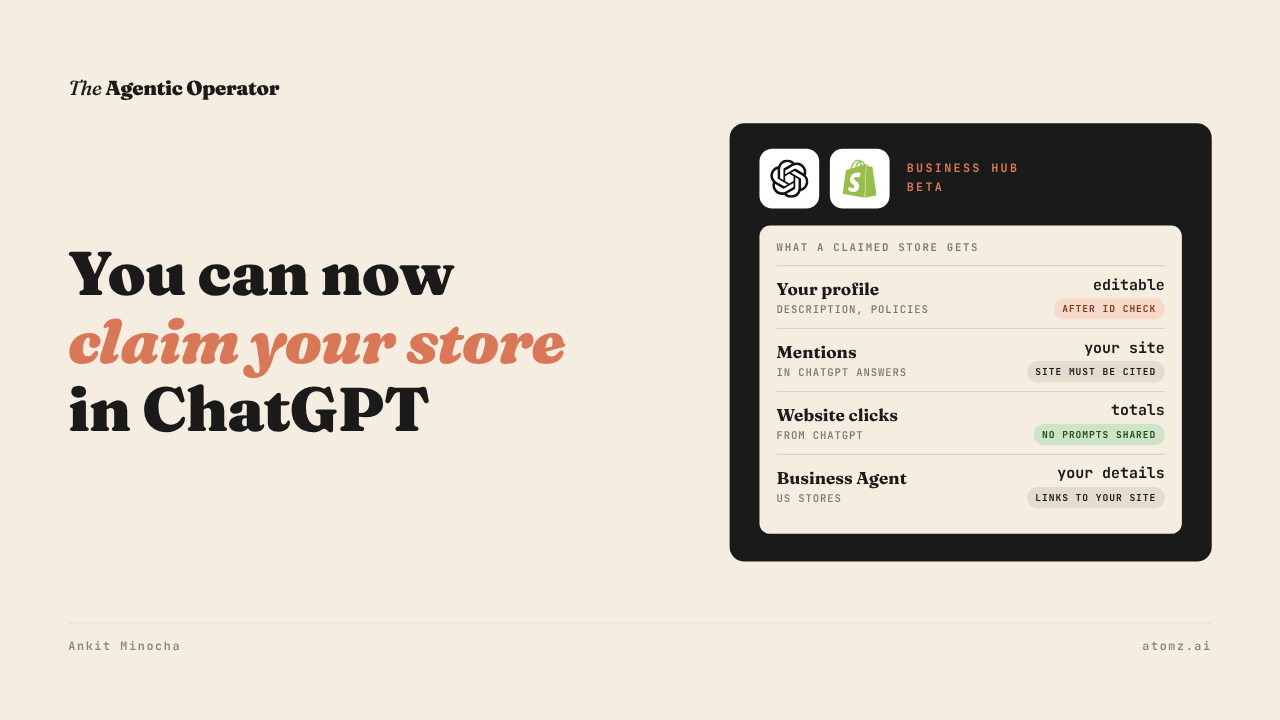
You can now claim your store in ChatGPT and see how often it mentions you.
OpenAI opened Business Hub in beta yesterday. Once they approve the claim and ID check, a business can edit its ChatGPT profile and see its mentions and website clicks. Eligible US stores can also set up their own Business Agent.
Shopify stores can claim from the admin, where connecting the store verifies the claim. Your eligible products are already in ChatGPT through Shopify Catalog, so you don't need a separate product feed.
Last month I shared how ChatGPT ads can run from inside your Shopify admin. The same ChatGPT app now has a Business tab next to Ads.

Source: Shopify admin
What claiming a store looks like
I claimed a store through the app. Setup asked how the store offers delivery and what its return policy is, down to the return window.
The new profile was saved as a draft until verification.

Source: ChatGPT Business Hub
Verification goes through Persona, which may ask for a government ID, business registration and proof that you can represent the business.
OpenAI says it has to be approved before you can edit the profile, see insights or build an agent. My application went into review, with status updates over the next few days.
They also say claiming doesn't guarantee more visibility in ChatGPT's answers.
What counts as a mention
The dashboard shows mentions and website clicks over 7 or 28 days, with a separate tab for the agent. OpenAI also lists discovery topics, the common themes in answers that mentioned or cited you.

Source: ChatGPT Business Hub
For an online store, a mention counts when ChatGPT references your website. Your brand name alone doesn't count. So if an answer names your product but only links a marketplace or review site, it doesn't add to your mentions.
You only get totals. OpenAI doesn't share prompts or chats. A blank number like the ones on my dashboard can mean there isn't enough activity yet rather than no activity.
The Business Agent, for US stores
When your store shows up in an answer, a shopper can open your profile and start a separate chat with your Business Agent.
It can answer questions from the product details and guidance you give it. It can't take orders or check order status, so it links the shopper to your site.

Source: OpenAI
You can also sponsor the agent as the destination for ChatGPT ads.
Some time back, I shared different ChatGPT ad formats, when business agents were a beta ad format for a small group of advertisers.
Five things to set up
1/ In your Shopify admin, open Apps > ChatGPT, click Get started and log in with the ChatGPT account you'll manage the business with. If the app isn't there, go to Sales channels > Agentic and click ChatGPT under Channels to install it.
2/ Setup asks how you offer delivery and what your return policy and return window are. Answer the way your store's policy pages read.
3/ After you claim, click Verify with Persona and have your ID and business registration ready. The review can take a few days.
4/ Ask ChatGPT to recommend products in your main category, the way a shopper would. Check which sites the answer links to, since only answers that reference your own site count as mentions.
5/ If your store is based in the US, preview the agent with a question shoppers often ask, like returning an item bought on sale. Check the answer against your return policy before you decide to publish.
The Shopify Catalog audit shows which shopper questions your product pages answer and which ones send AI to a competitor. Audit now →
Atomz AI fills in category attributes across your catalog, so the answers shoppers ask for sit inside your Shopify store. Get in touch for a demo.
- Ankit
If this was useful, the next one will be too.
Weekly. Free.
Unsubscribe with one click.